


Call 0800 1111
Bullying on social media
Anyone can be bullied or trolled on social media. It can be really hard to know what to do if it happens to you or someone you know. We can help you to cope and report the bullying.
what you can do
Most websites and apps have rules against bullying and harassment, and can help if it's happening to you or someone you know.
If you've seen or experienced bullying on social media, it's important to:
- report what's happened on the site or app
- block the people bullying you
- take screenshots of nasty messages, but don't reply to them
- tell someone you trust, like your parent, carer or a teacher.
4 tips to cope with bullying
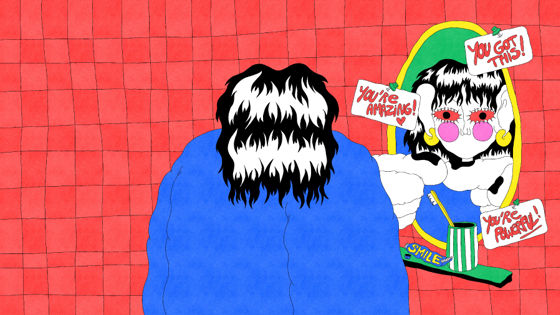
- try our wall of expression game if you're feeling angry
- let your feelings out with the Art box
- remember bullying isn't okay and isn't your fault
- find ways to feel more confident.
Block and report bullying or sexting
Lots of social media sites can help you if you're being bullied or if people are bullying you online.
Here’s how to report sexting or bullying on:
Snapchat
Snaps automatically disappear once the person you sent them to has seen them. But they can still take screenshots and save them. That means that they'll have a copy of the photo even after Snapchat deletes it.
Follow our instructions below or find more information at the Snapchat website.
Make a report
If you receive an abusive or worrying message. It can help to take a screenshot so you’ve got a record. The person who messaged you will see if you’ve taken a screenshot, so it’s important to think about how they might react if they knew.
If someone’s bullying or harassing you, or sending naked pictures you can report that person to Snapchat.
To make a report:
- In the app, go to the person’s Snapchat account
- Press the 3 dots or the cog wheel
- Press ‘Report’
To report a Snapchat or Snapchat Live Story that contains nudity or bullying content:
- press and hold the snap or story
- press the flag in the bottom left hand corner
- select the reason you're making a report
- if you're reporting bullying you might be asked to give more information, it's important to explain as much as possible
- after you've made the report you'll be asked whether you would like to block the person, doing this can help to stop them upsetting you.
Block someone
Blocking someone on Snapchat will stop them from seeing your story or sending you snaps and chats. It can help if someone’s sending you abusive messages.
To block someone:
- in Snapchat, open the chat for the person you want to block
- press the 3 lines in the top left hand corner
- press Block.
Facebook and Facebook Messenger
The way to report abuse changes depending on what you're reporting. You can find out how to report abuse on the Facebook help page or by reading Facebook information on reporting and blocking.
Report bullying, sexting or nude images
Most naked images are against Facebook’s rules and naked pictures of someone under 18 are never allowed.
To report a naked picture of you, bullying or something you’ve seen on a live video
On the Facebook app:
- select the 3 dots in the top right hand corner of the post or photo
- select to leave feedback or report
- if you have to leave feedback, select to report the post afterwards
- you'll be asked some questions about why you're making a report.
You can also fill out Facebook’s form to report an image or select what best describes what you want to report. Facebook won’t tell the person you’re reporting that it was you. They’ll tell you in your Support Inbox if they’ve been able to take the picture down.
To report something on Facebook Messenger
In the app:
- go to the conversation you want to report
- press the i symbol in the top right corner
- press "Something's wrong"
- select what's happening
- after you've left feedback, you can also select to report or block the person.
You can also make a report to Facebook by filling in this form even if you don't have an account.
Facebook has lots of information on how to report other types of content that's being used to bully or threaten you.
Reports are anonymous so the person doing the bullying won’t know who reported it. Facebook will tell you in your Support Inbox if they've been able to help.
Have a look at Facebook's page on privacy to change your privacy settings and control who sees your profile and posts.
You can also hide someone on Facebook. This means that you won't see their posts in your newsfeed, but you'll still be friends with them.
Instagram is automatically set to public so that anyone can see your images - even if you don't know them. Setting your profile to private can help to stop bullying and keep you safe. Find out more about changing your privacy settings.
Live streams shared to your followers will disappear after they've finished unless you add them to your story. But people are still able to screenshot or record it and Instagram can't delete this.
Most naked images are against Instagram's rules and naked pictures of someone under 18 are never allowed.
Report a naked image or something you find threatening
In the app:
- press the 3 dots in the top right hand corner above the picture or video
- select Report
- select the reasons you want to report the image.
If someone is bullying, threatening or sending photos to you via direct message, you can also report that.
In the app:
- open the direct message from the person you want to report
- press the i in the top right hand corner
- select Report and enter the reasons you want to report them
- you can also block the person by pressing Block User.
Instagram won't tell someone if they've been blocked. Once they are blocked, they won't be able to find your profile, posts or story on Instagram. But they can still mention you using the '@' sign. Changing your username can be a good way to make sure that they can't mention it.
What you tweet on Twitter is public unless you've set your account to private. This means that anyone can read, retweet and respond to anything you tweet.
Changing your privacy settings is a good way to stop people tweeting or replying to you. It can also help if people are direct messaging you. Find out more about changing your privacy settings.
What to do if you're being bullied
- Unfollow anyone who is bullying or harassing you by going to their profile and pressing the 'following' button
- Block anyone who is bullying or harassing you by going to their profile, pressing the 3 dots (on Android) or the gear (on iOS) in the top right hand corner and selecting block
- Blocking someone stops them from contacting or following you. You can always unblock them if you want to in the future.
If someone creates new accounts to keep harassing you or posts a naked photo of you then you can also make a report to Twitter.
Follow our steps below or read more on WhatsApp’s website.
If someone is bullying or harassing you, or sending naked photos of you then you can report and block them. This won’t delete any photos they’ve saved but can get them banned from using the app.
To block or report someone:
- go to the chat with the person you want to report
- tap on the group or person’s name to open their profile
- scroll down and press Report
- you can also block the person on this page.
Blocking someone on messenger apps means they won’t be able to send you nasty messages. Usually the other person won’t know that you’ve blocked them. You'll just appear offline when they look at their contacts.
Can I delete an image I’ve sent to someone?
When you share images on WhatsApp, the person receiving them will then have copies on their phone, which they can share with people inside and outside of WhatsApp. Even if you delete a message or an image from your chat, others may still have a back-up or screenshot.
Video chatting on WhatsApp isn’t recorded automatically, but can still be recorded or screenshotted. Once this happens, you lose control of it.
Video chat sites
It's important to remember that when you're using video chat sites like Skype, Omegle and Discord, whoever is watching you can record or screenshot your conversation without your knowledge.
Video chat sites can't delete images or videos that have been screenshotted or recorded. This is because they're saved directly to the person's device.
Some sites do allow you to report if something's happened, find out how to make a report on:
Tumblr
People on Tumblr can ask you questions anonymously, which means you don’t know who they really are. Sometimes people decide to send abusive or hurtful messages to other people on Tumblr.
Tumblr does not allow sexually explicit videos or naked photos of people under 18.
If someone is bullying on Tumblr or they've posted a naked photo of you, you can report it here.
You can also block anyone you don't want contact with here.
Tik Tok
Tik Tok is automatically set to public, which means that anyone can see what you live stream or the videos you post. Changing your account settings can help to keep you safe and stop abuse. Find out more about setting your account to private.
Tik Tok does not allow sexually explicit videos or live streams, especially when it involves someone under 18. They also don't allow bullying in comments, posts or private messages.
To report a video or live stream:
- on the video, tap the share icon
- tap Report
- select It's Inappropriate
- choose the reason you're making a report
- press Report.
To report a comment:
- tap and hold the comment you want to report
- tap Report
- select It's Inappropriate
- select the reason you're making a report
- press Report.
To report a chat:
- open the conversation you want to report
- tap the 3 dots in the corner of the screen
- select It's Inappropriate
- tap Report
- select the reason you're making a report
- press Report.
To report an account:
- go to the account you want to report
- tap the 3 dots in the corner of the screen
- tap Report
- select It's Inappropriate
- select the reason you're making a report
- press Report.
After you’ve made a report
Not all sites will take content down straight away, and sometimes they might not take something down when you’ve made a report.
Remember that you can keep making reports if you are concerned about something, but it can also help to talk to an adult you trust.
Even when you’ve reported something it can still have an effect on you. No matter what’s happening you can talk to Childline.
Helping someone else
It can be difficult seeing someone being bullied or harassed online. But there are lots of things you can do to help:
Don't like, share or comment
Even if you're replying to support someone, commenting, liking or sharing a post can make it more popular, which may mean more people see it. Commenting can also encourage the bullies to reply or say nasty things back.
Report posts and people
You can help someone by reporting posts or people that are bullying on the social media platform. You can also show them how to block people. Encouraging and showing your friend how to block and report people or content on social media can help them know what to do if it happens again.
Speak to the person being bullied
Talking to someone and letting them know you're there for them can be one of the best ways to support them. It can also help to do things you both enjoy together, like seeing a film or playing sports, to help take their mind off the bullying.
Keep your own posts positive
It can be tempting to post negative things back to people who're bullying others online, but sometimes this can make things worse. Ignoring them and posting positive things yourself can help other people to do the same.
Watch: The walk home from school
Watch: How to cope after bullying

feel like
nobody would
understand
Other sites that can help
- Thinkuknow has loads of info about reporting someone and getting help.
- Internet Watch Foundation lets you report criminal online things.
- Childnet has advice about gaming, safe downloading and much more.
Get more support
This site is protected by reCAPTCHA and the Google Privacy Policy and Terms of Service apply.